My projects
A selection of products and tools I have developed: a car launcher, an ESP32 home intercom, apps for smart glasses, plugins and widgets. Available projects can be installed as they are or tailored to your needs.
JK Launcher
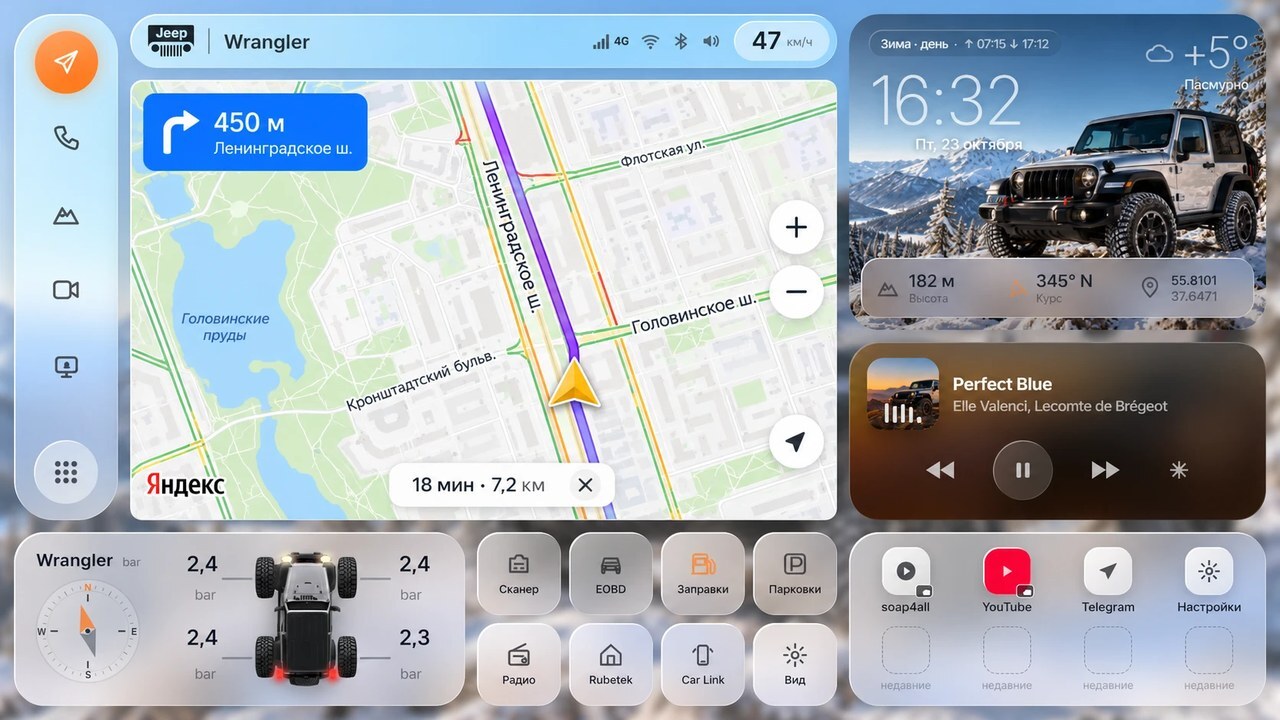
A launcher for factory Android head units, configured for each car. Navigation, music, diagnostics, a 360° camera and a maintenance log come together in one app, without paid add-ons.
- Yandex Navigator and Yandex Music directly on the main screen
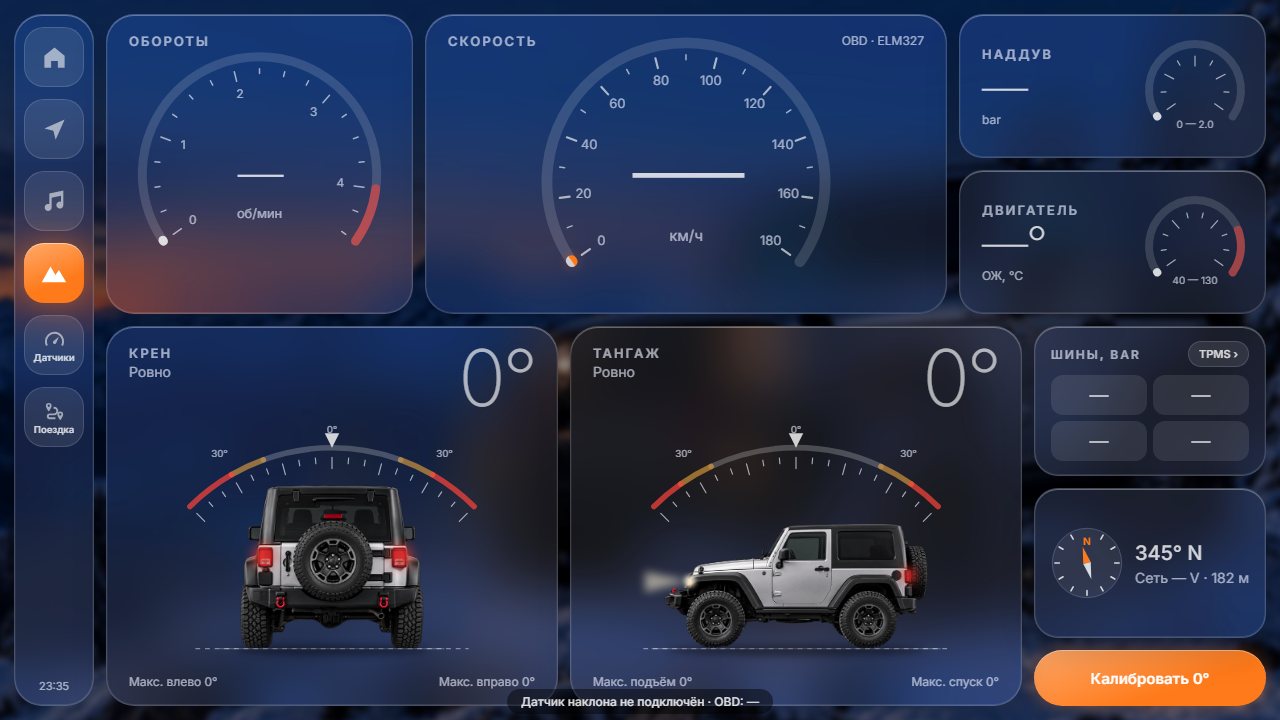
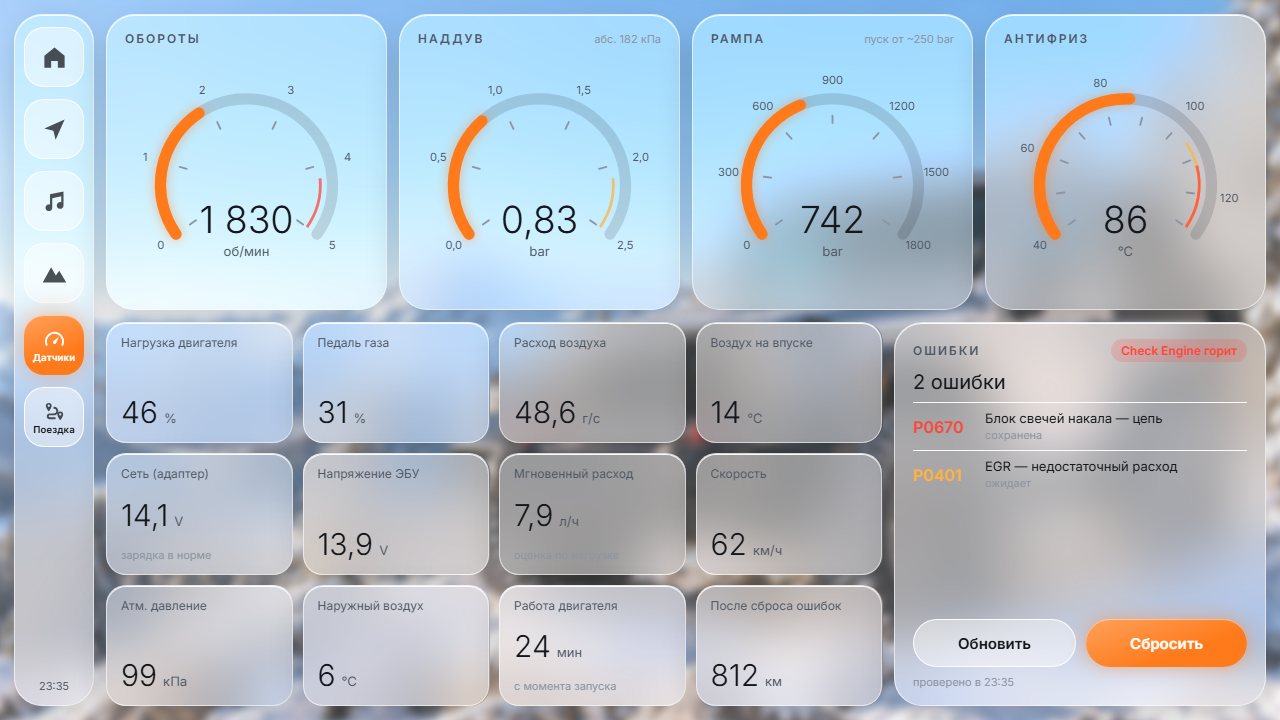
- OBD: engine RPM, temperature and voltage, plus fault-code reading and reset
- Jeep off-road view: roll and pitch from a separate body-position sensor
- 360° camera, dashcam and tyre-pressure data
- Trip costs, maintenance history, and monthly and annual reports
- Glass and classic themes; day/night and seasonal modes switch automatically
Jeep — from ₽3,000; other makes — from ₽5,000.
A full setup with sensors costs up to ₽15,000.
Wi-Fi home intercom
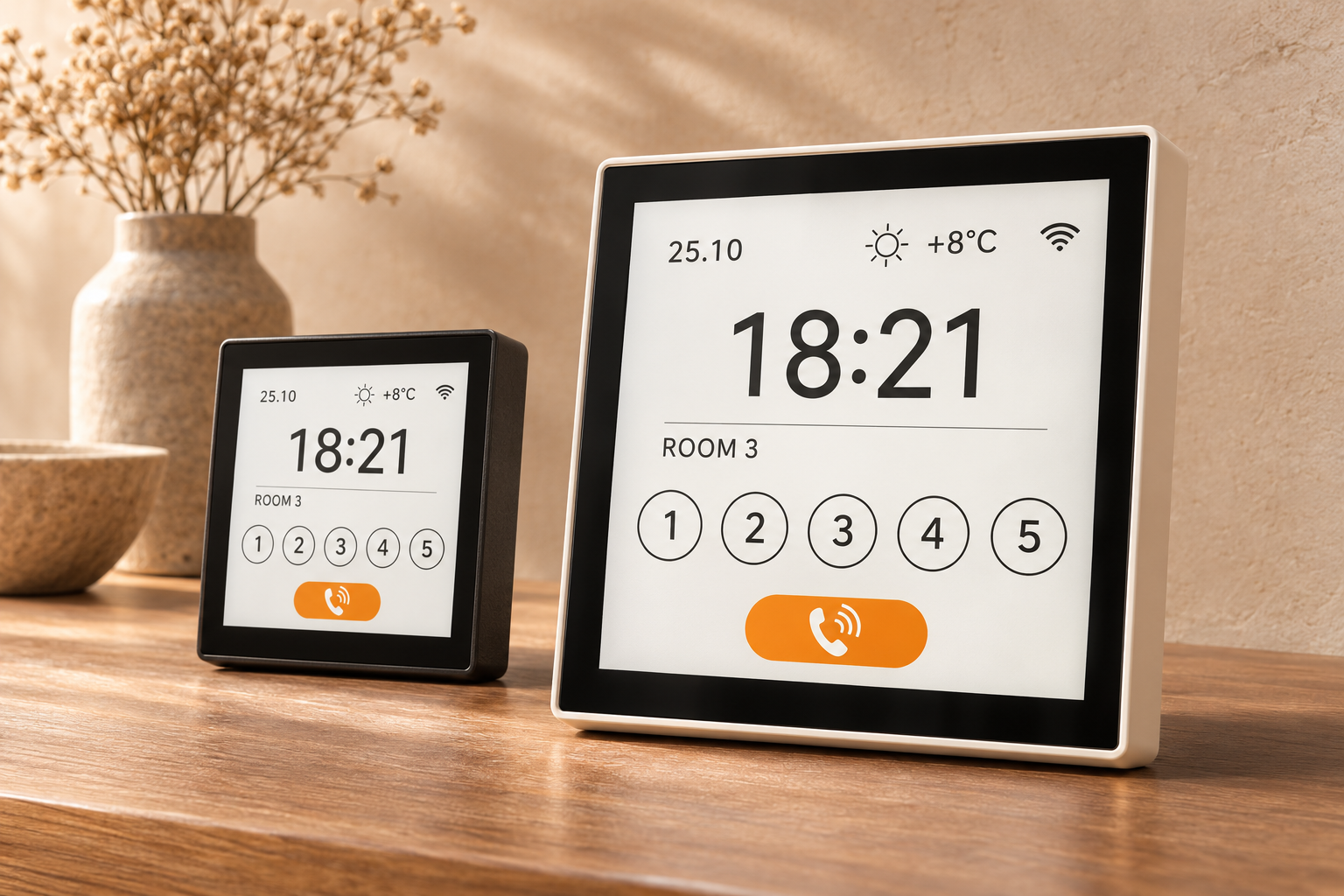
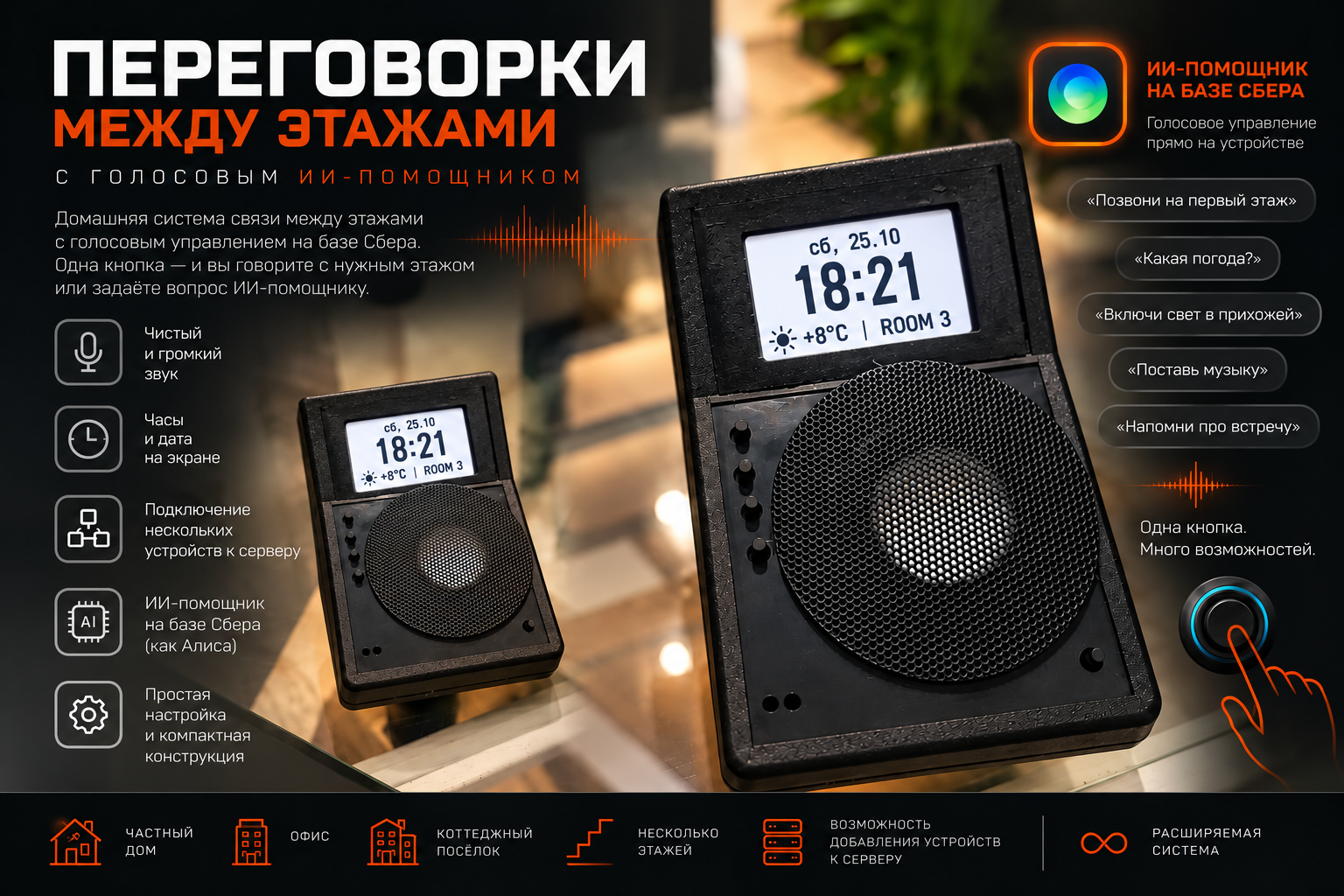
A compact communication system for a townhouse, multi-storey home or large apartment. Units connect over your home Wi-Fi, so floors can communicate without dedicated wiring between them or a subscription.
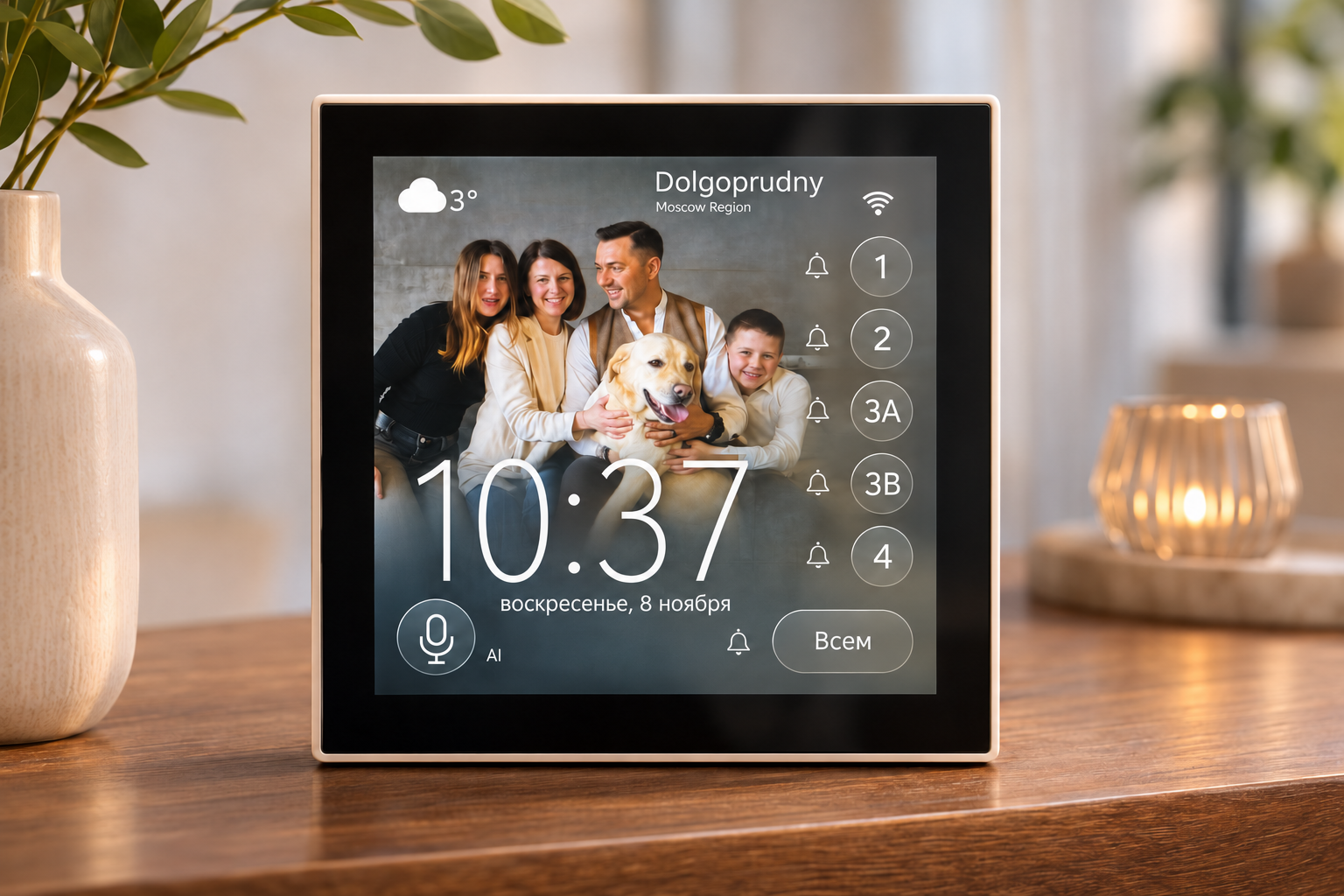
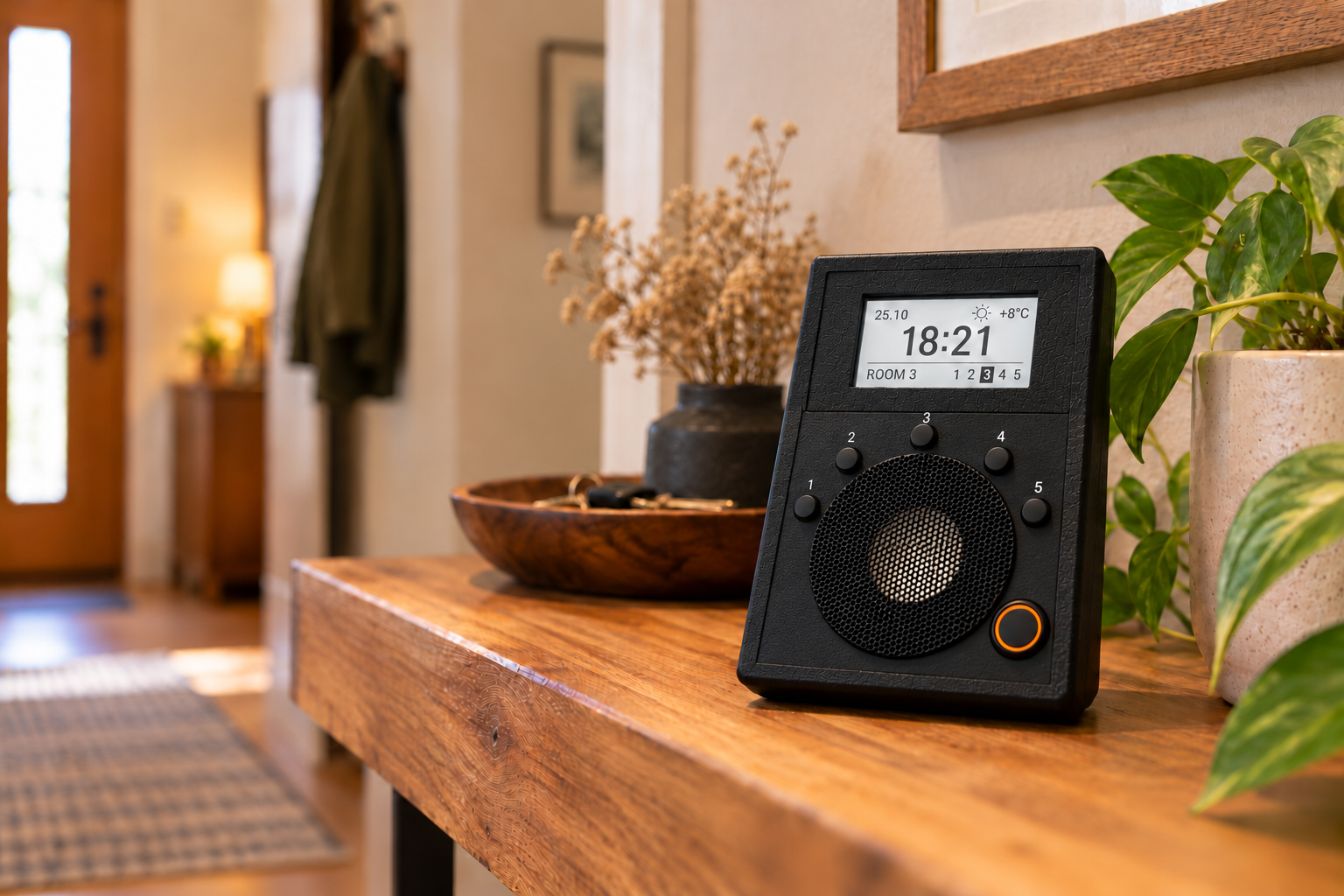
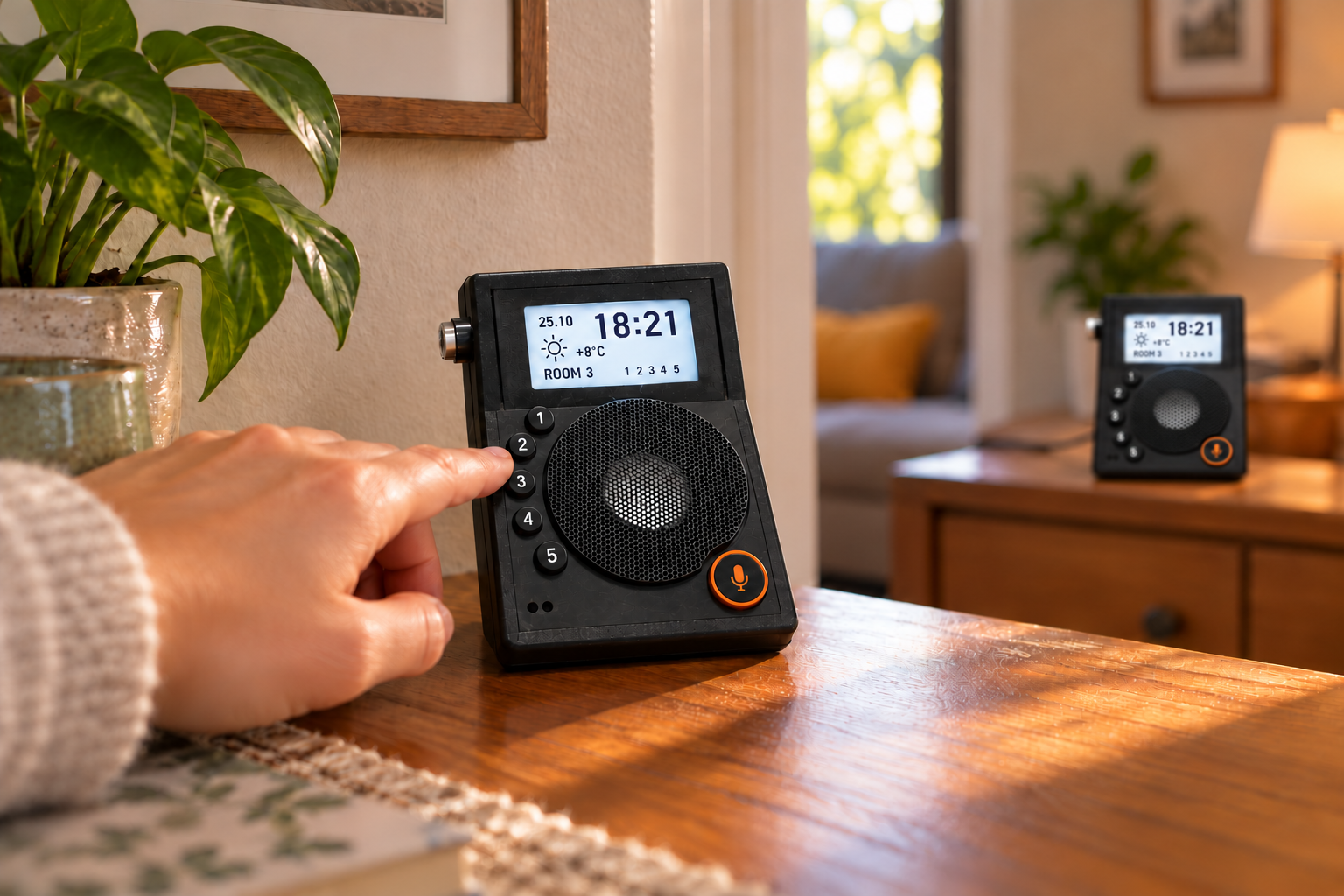
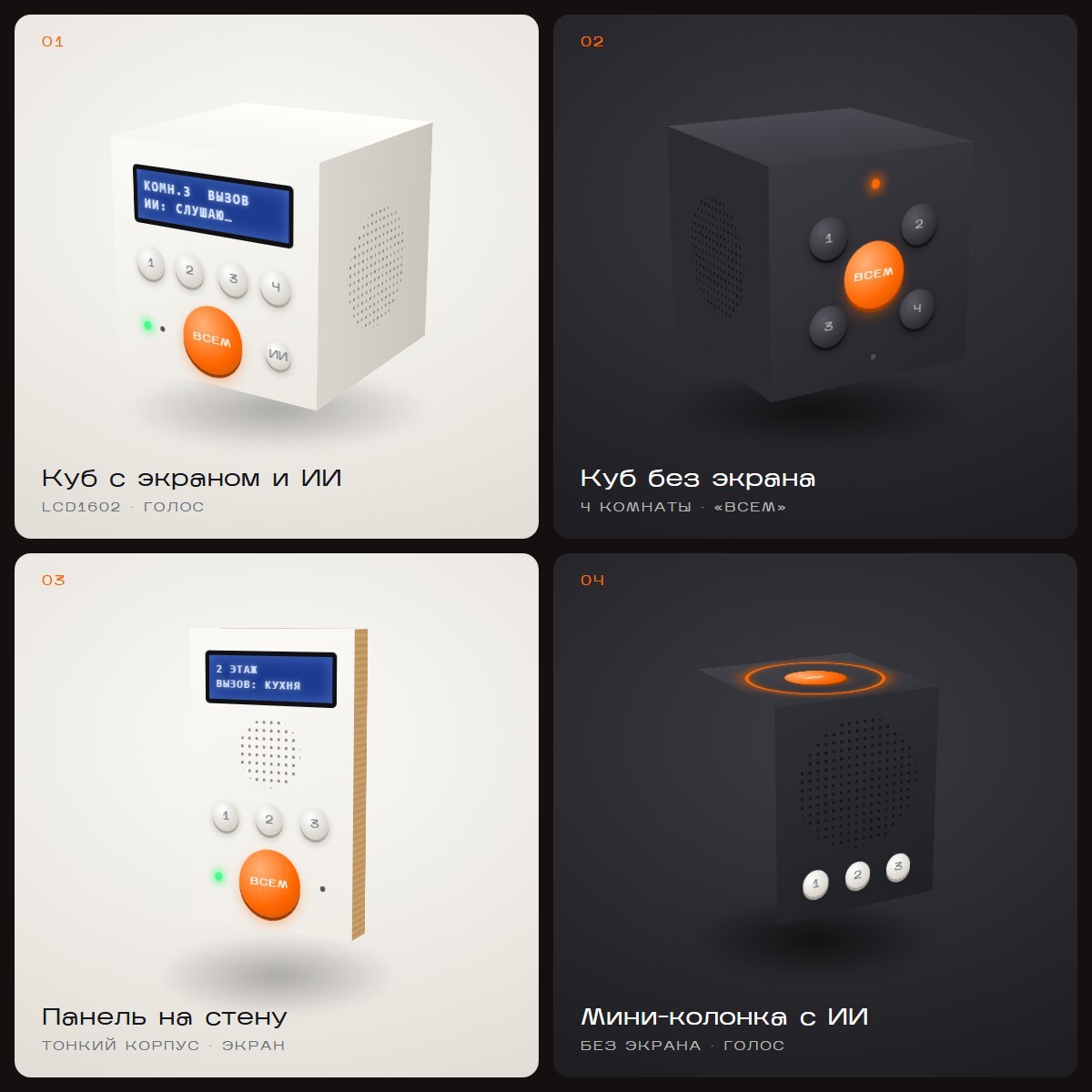
- Five room-call buttons — 1, 2, 3A, 3B and 4 — plus a separate all-call button
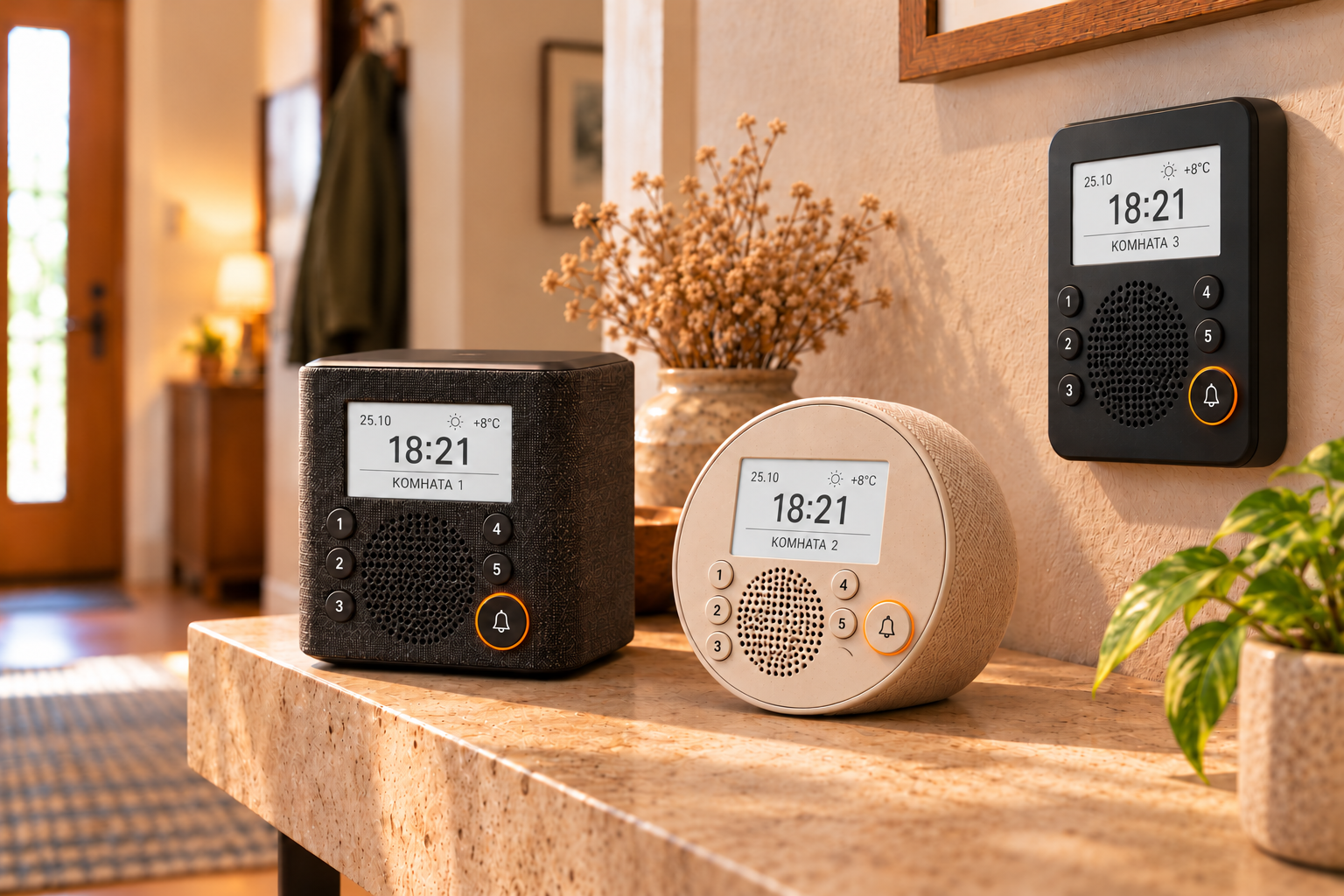
- Time, date and weather on screen, with an optional personal photo wallpaper
- Square, round, desktop or wall-mounted housing to suit the space
- Voice assistant for questions, weather, directions and home controls
- Web-based setup and firmware updates over Wi-Fi
Development. The project began with an ESP32 board, microphone and amplifier. I then added stations for different floors, a display, group calling and updates over Wi-Fi. The voice assistant uses a home server.
The number of stations, room labels, housing and features can be tailored to your home. The campaign images below are based on prototype photographs; the family picture shows an optional screen wallpaper.
Early enclosure sketches
ScoreGlasses
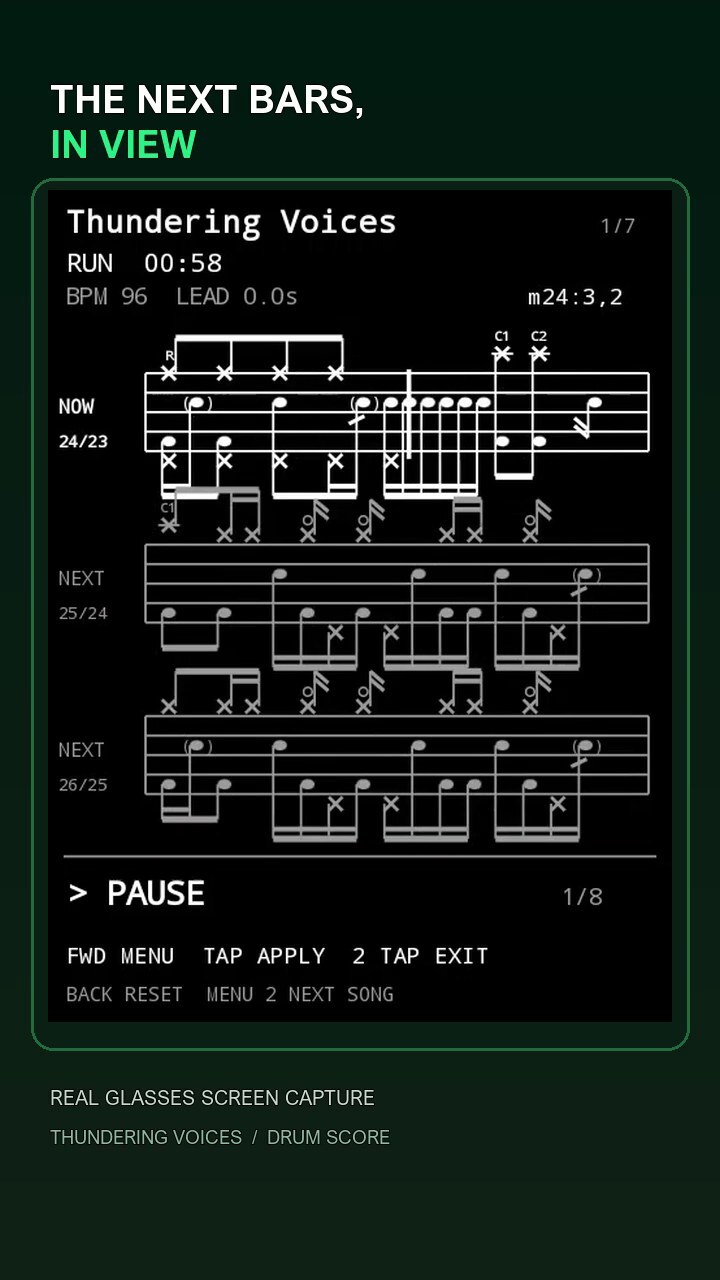
Sheet music for smart glasses. With Drum Score, prepare a drum part, check it against a recording and transfer it to the glasses. While playing, see the current and upcoming bars without taking your hands off the sticks.
- MusicXML, XML and MXL import; PDF draft with page-by-page verification
- Sync the part with a Moises track, with a count-in and repeat support
- Transfer songs to Rokid glasses over USB without rebuilding the app
- On the glasses: current and upcoming bars, tempo and tap-to-pause
- Planned next: guitar, bass and piano
ReStep
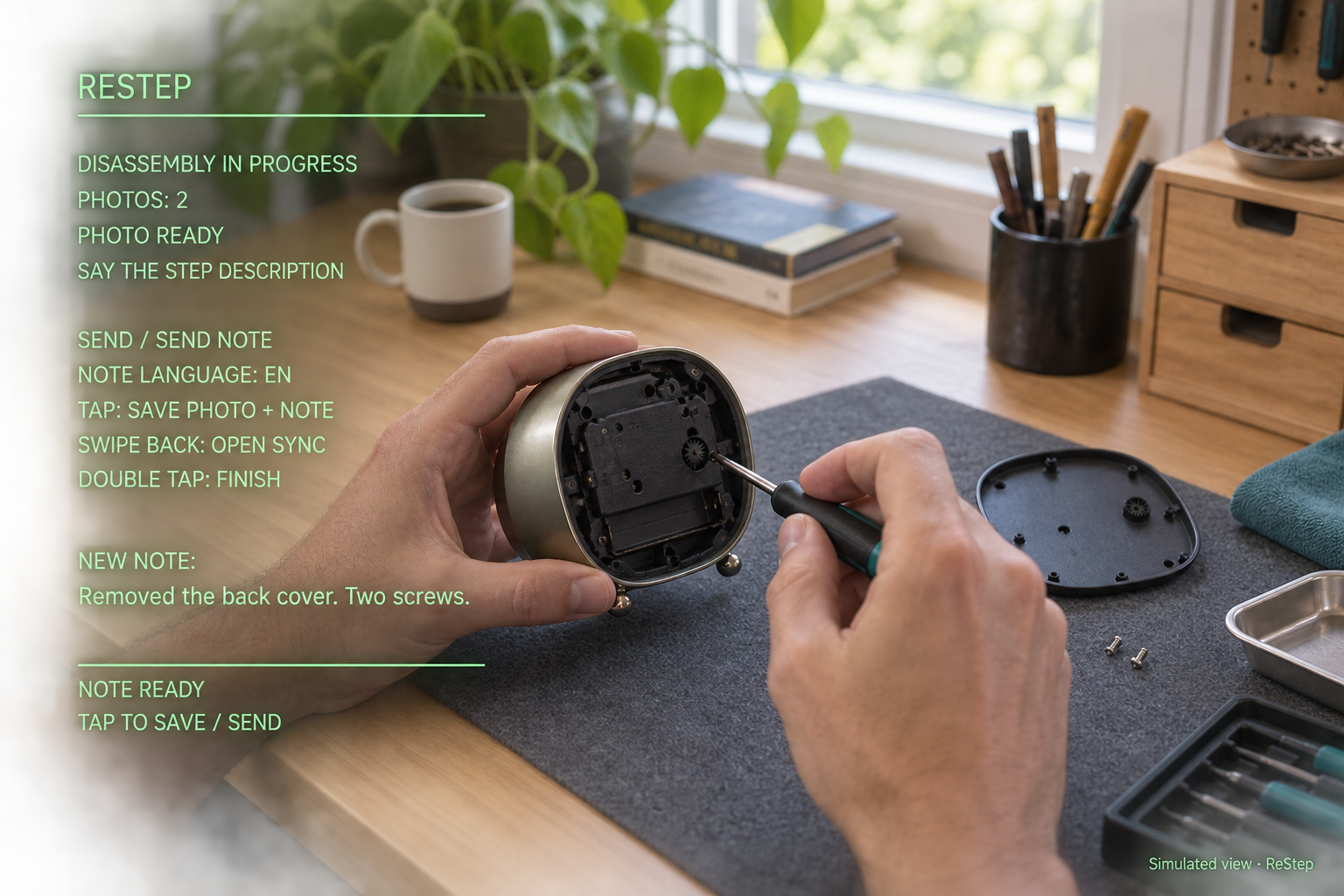
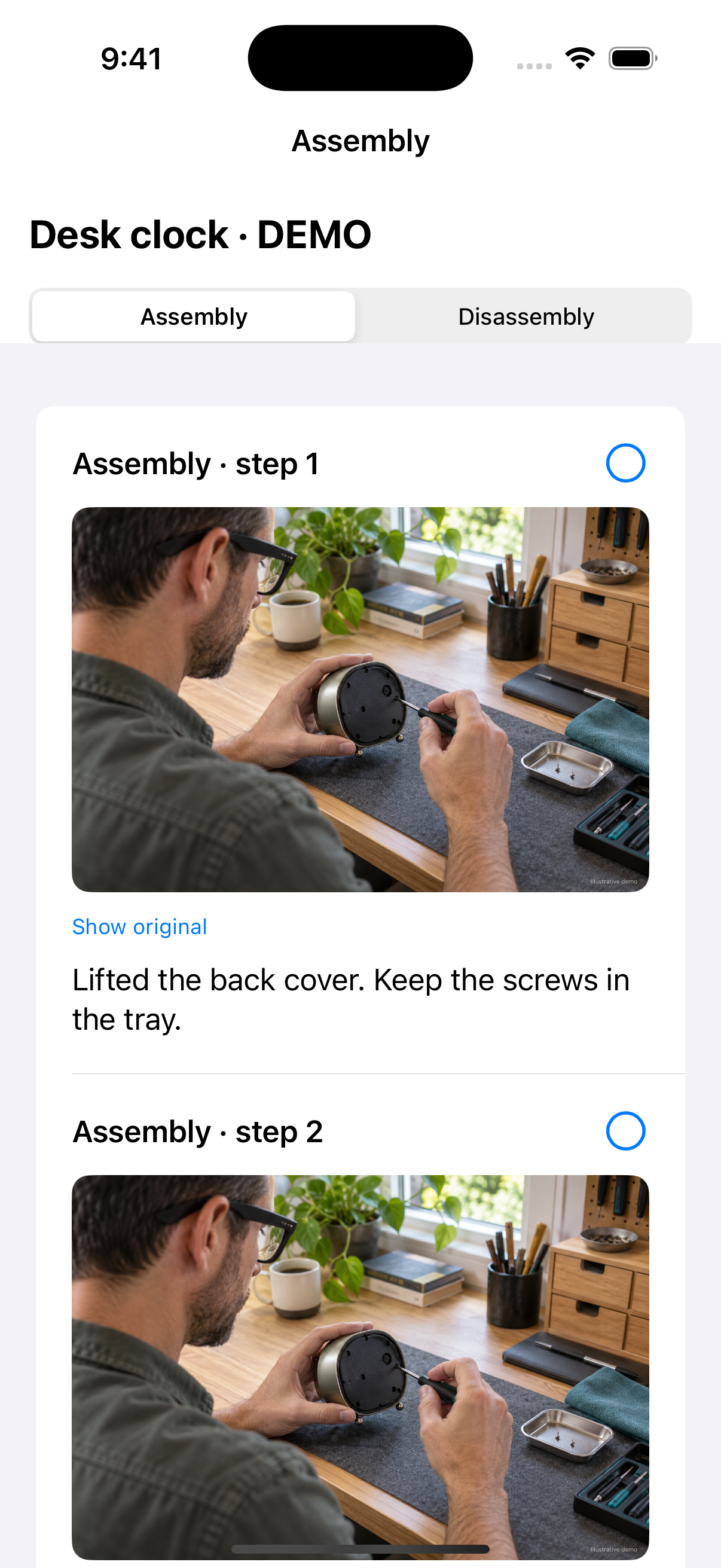
ReStep records a repair or disassembly through Rokid smart glasses while your hands stay on the tools. Say a command to capture a photo and dictate a note for each step. When it is time to reassemble, follow those steps in reverse order.
- Say “Take photo”, dictate a note, then say “Send”
- For example: "Removed the back cover, two screws"
- Photos and notes stay on the glasses; resume a saved session after a restart
- Double-tap to finish a session; touch controls can replace voice commands
- Minimal prompts while idle; dictated notes appear on screen as you speak
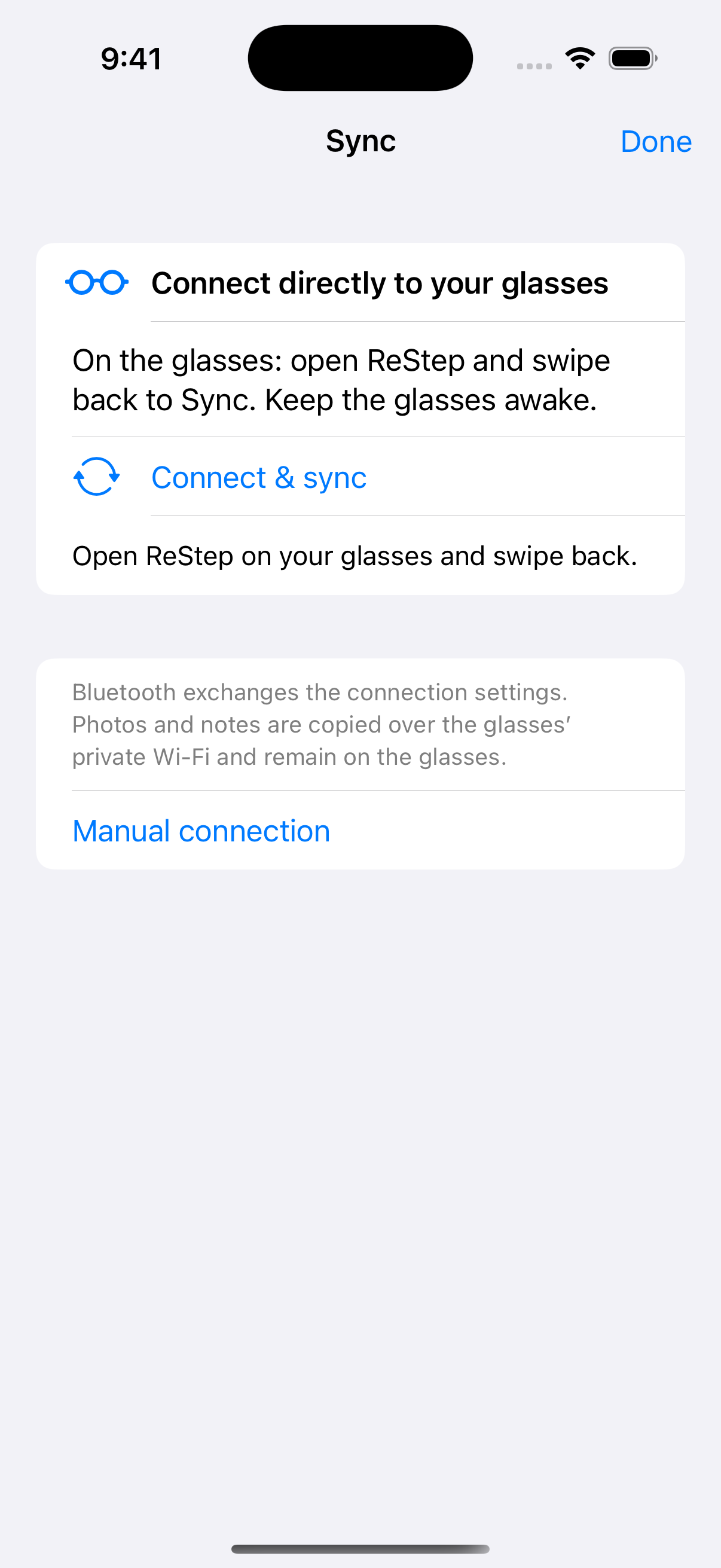
- Phone sync starts separately when the repair is finished
- Voice commands in Russian and English; English interface
Glasses 0.18 · iPhone 0.10 · Android 0.1 preview.
Verified on Rokid RG-glasses / Android 12. Android companion is tested in the emulator; Bluetooth and Wi-Fi with a real Android phone still need verification. IPA for Sideloadly / AltStore: Standard version without Auto Wi-Fi.
VAGRUS bot for car service
A floating assistant who meets a client on the site answers typical questions. (address, working time, diagnosis, oil change), collects a contact and submits a request to your messenger Or through Google Apps Script. Works for Tilda, no backend.
- Floating button + bot panel
- Ready quick answers (address, prices)
- Record form right in the bot
- Submit to Google Apps Script
- Works on Tilda/without backend
- Your own color and logo
- Linking to Telegram/Whatsapp
- Pulling up the price with /page10
- Different scenarios: diagnosis, TO, chip
- Hiding fields on the mobile
Terminator HUD
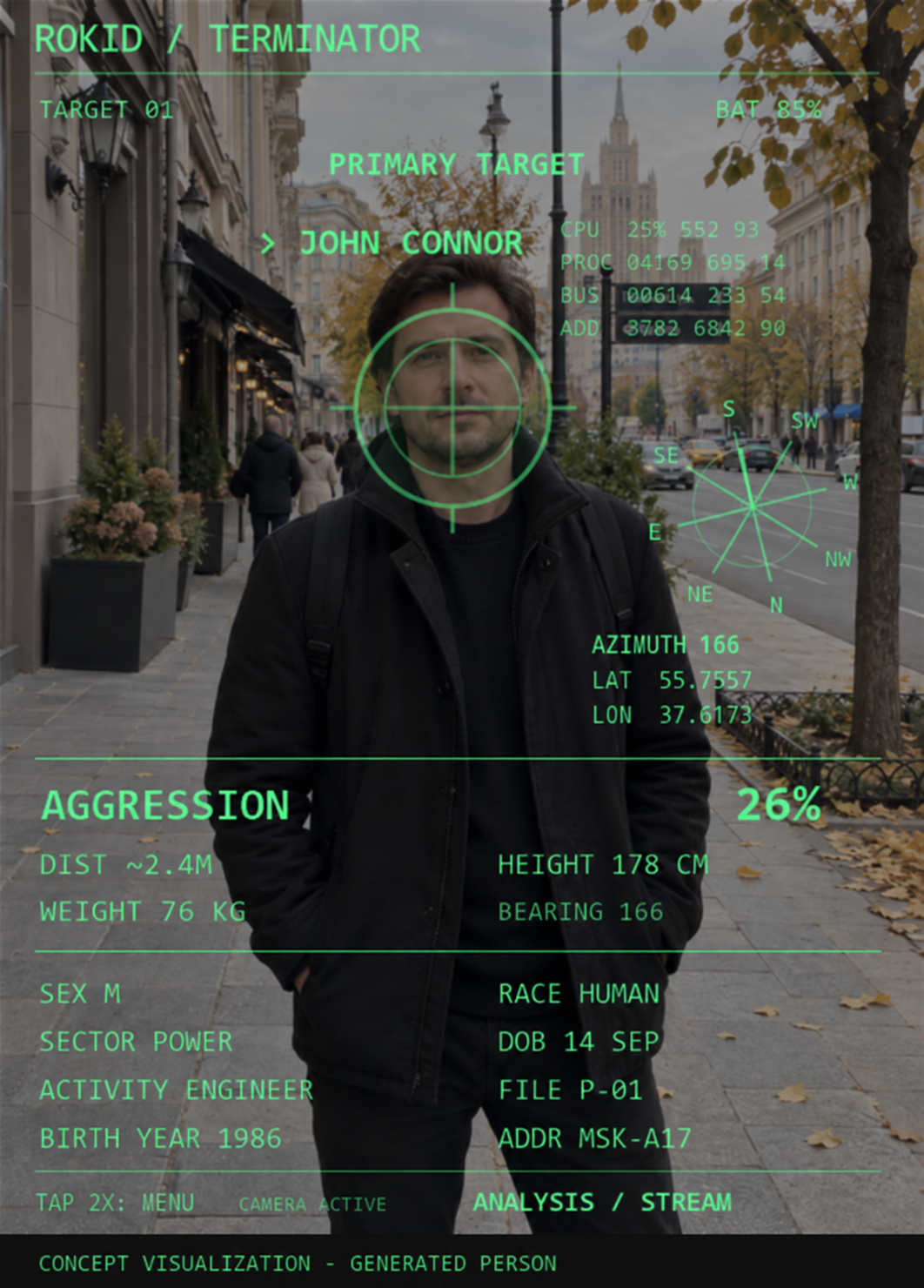
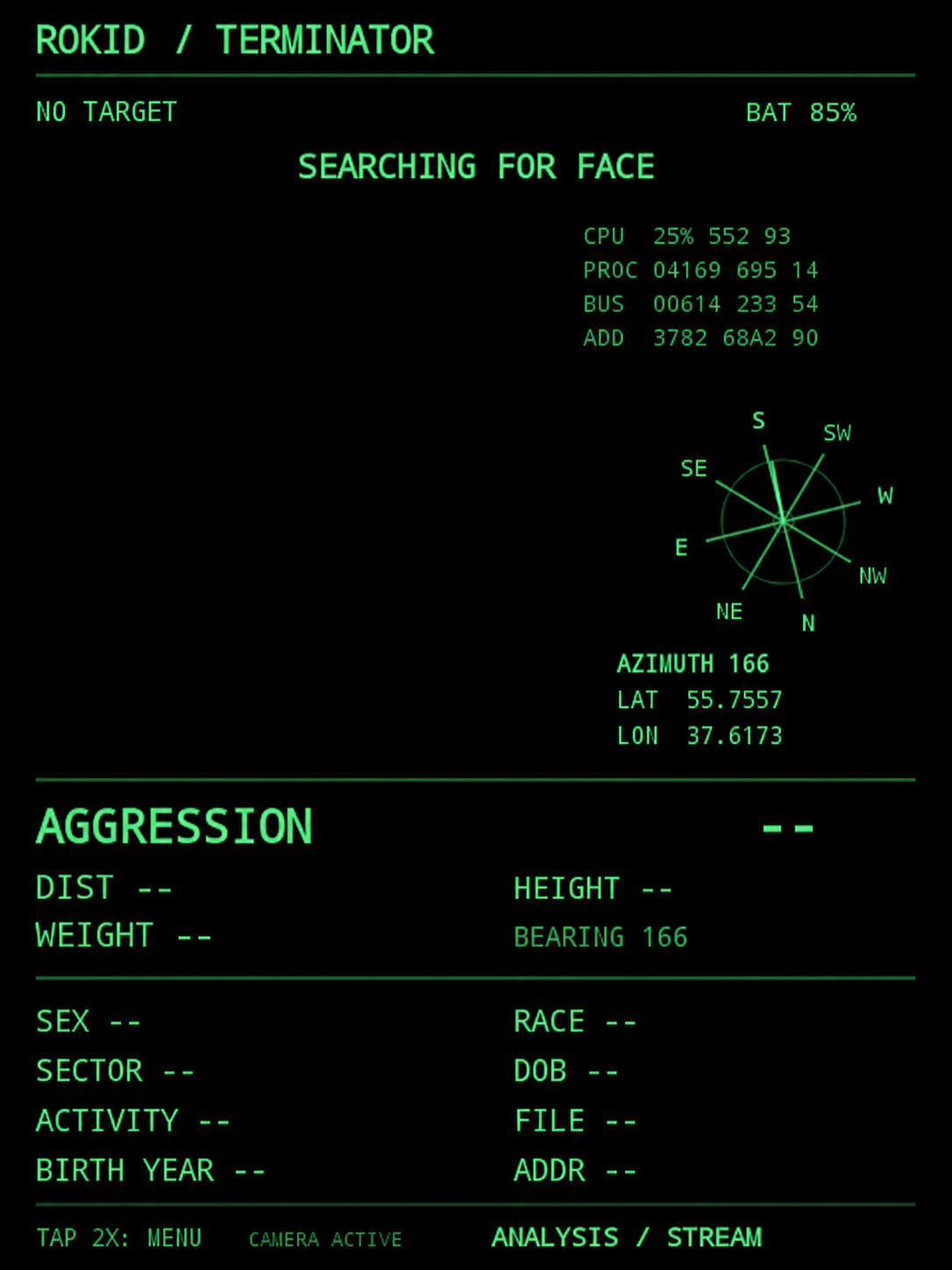
Cinematic HUD for Rokid Glasses: tracks the person in the frame, aims at the head, shows a compass and live telemetry. After capturing the target, it displays a game profile in the spirit of the Terminator.
- Verified on RG-glasses with Android 12; no other models tested
- Target capture, animated sight and scanning
- Azimuth, coordinates, CPU / PROC / BUS / ADD
- English interface; Android APK for installation
- Dossier and part of assessments - game simulation, not real personal data
- In APK v0.9, the name Rokid was corrected; the green palette is only for promo
App for iPhone · sound and video
ClickCleaner – remove the click from the recording
An app to remove the familiar Moises click from video and audio. Processing takes place on the iPhone: the record does not need to be sent to the server. You can compare the original with the result and save the finished file.
Formats and exports
Video from "Photo" and "Files", audio files. Comparison of the original with the result before saving.
- Audio import
- MP3, WAV, M4A/AAC, AIFF and CAF
- Audio exports
- M4A AAC 320 kbit/s or WAV 24 bits · 48 kHz · stereo
- Video exports
- In "Photo" or "Files" with processed sound
Installation on iPhone
iOS 26.0+, Windows or Mac computer and Sideloadly. IPA is installed with your Apple Account according to the Russian instructions in the archive.
Test build outside the App Store. Checked on a real iPhone. The free signature must be renewed every 7 days.
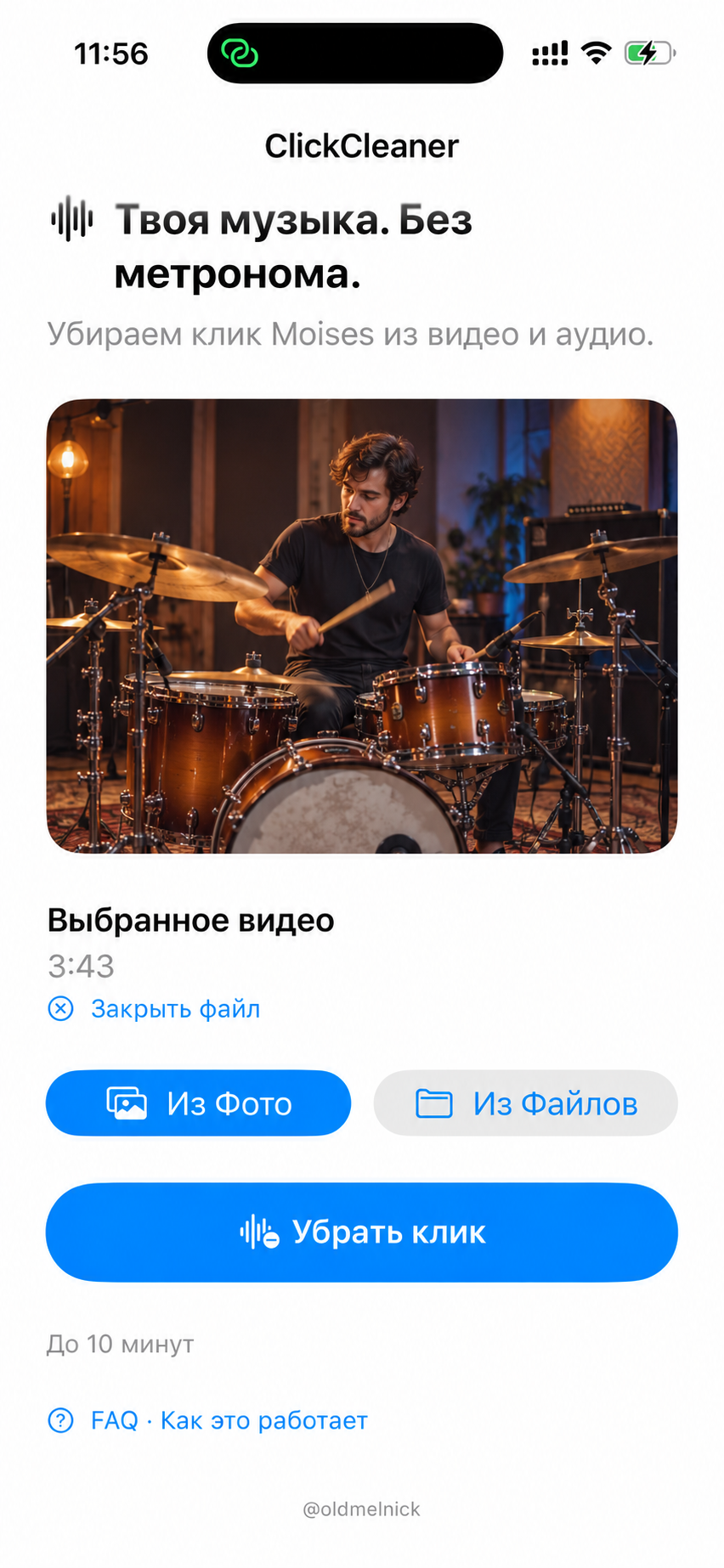
Screenshot of the iPhone app.
The frame in the video preview is replaced by the generated image for demonstration.
More: Limitations and Assembly Check
The algorithm is designed for the familiar Moises click. Other metronomes, very short fragments or clicks hidden by music, may not be recognized or leave an audible residue. Complete removal of any click is not guaranteed. Save the original record until the result is checked.
Version 0.3.0 is a test build. The app is tested on a real iPhone.
The IPA is not signed for your device. Details of installation, application trust and signature renewal are described in the instructions in the archive. The app has an offline FAQ.
DIY project · ESP32 · Home automation
PowerWatch - a signal for the return of light
A small device monitors nearby 2.4GHz Wi-Fi networks. If they reappear, PowerWatch sends a letter: the city's power grid may have recovered. Sources and instructions are open - the project can be assembled independently.
How it works.
Turn on ESP32 when the lights are turned off. When neighboring points appear, the device will send a notification via Google Apps Script and Gmail.
- Interval
- Scan every 5 seconds
- Filtration
- Without home network and weak points below -85 dBm
- Thread
- By default 3 points; selected at the installation site
Fees and components
- ESP32-DevKitC V4 with ESP32-WROOM-32E
- USB cable with data, USB power or power bank, case.
- Router on backup power and Internet for mail.
The device is not connected by wires to 230 V. A voltage sensor and relay are not needed; it does not control the generator and bypass.
Neighboring Wi-Fi is an indirect sign.
PowerWatch does not measure network voltage.
Read more: project composition, logic and limitations
What's in the archive. sketch PowerWatch/PowerWatch.ino, settings file config.h without personal data, root certificates google_roots.hscript AppsScript/Code.gs and README with connection, configuration and verification.
Notification. Once the threshold is reached, the scan is stopped. Repeat every 15 seconds before Google responds. The public edition includes protection against repeated letters by event ID and recent events.
Boundaries of method. A neighbor router on a UPS, a change in the radio environment or a low density of networks can lead to a false signal or no notification. The letter means an excuse to check the power supply; it does not confirm the presence of voltage.
Project status. Scanner, local page on the iPhone and sending via Gmail worked in the user test 03.09.2026; after it was noted the problem of repeated emails. The public edition was prepared on the basis of a working sketch and subsequent editing. This edition has not yet been tested on physical pay.
Work outside 1C and personal tasks are at your fingertips
KanBan❤️ USIL is a cross-platform application that you keep (Windows 10 + permanent Internet). cloudless. Tasks on logistics, VKS, engineering service, coordination and “special assignments” will not be lost, because They are in the same kanban, not in 1C and not in messengers.
- Storage: PostgreSQL + MinIO/S3
- TLS in flight, AES-256 for phone
- Private role tasks
- Signed file links
- Email + password
- SMS code only at the first entrance and after downtime
- Frequent key update and limit to 5 attempts
- Admin creates users
Suitable for executives, engineering and logistics services, where tasks “fly in” during the day. Even if they are inconvenient to wind up in 1C - here they are placed in 2 clicks.
An example of a task description. Store the dates of all changes, comments and attachments (up to 10, ≤ 100 MB).
Play My Vibe
Web player for DJs, musicians and artists. Its main feature is music from a regular public folder on Yandex Disk. Just add songs: Play My Vibe will automatically collect a list of tracks and play them directly on your site. Without manually adding each track and a separate music server.
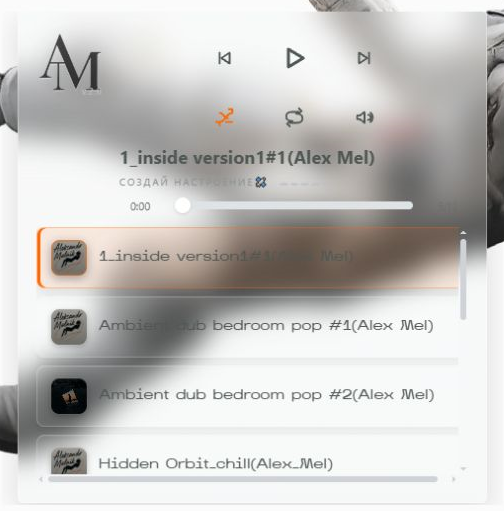
- Adaptive, does not break on the phone
- Glass interface with track covers
- Active track highlighted
- Up to 5 tracks on screen, the rest scrolling
- Automatic list from Yandex.Disk folder
- Pure HTML/CSS/JS
- Audio browser API
- GitHub CDN (jsDelivr) for player. js
- Yandex Disk as a music vault
- Working for Tilda without a backend
The "Happy Hour" widget for VAGRUS
A fixed promo plaque in the lower left corner, which appears with a 15% transparency, Gives a 15% discount button and opens the form banner. There are already: snooze for 2 hours, phone mask, autocomplete dates and times, submit to your Google Apps Script (The same thing we used for the bot).
Diagnostics, TO, service. Working hours: 10:00-20:00. Happy hour discount.

Discount on work and some materials.
- FAB left bottom (fixed)
- Transparency 15%, shadow
- Close + write in localStorage
- Validated form
- Phone Mask + Autodates
- POST without preflight in GAS
- In parallel with Google Sheets (opt.)
- Same constants as the bot.
- You can put it on I.Disc / GitHub
Customer reviews from Yandex for VAGRUS
Ready widget that displays the latest reviews from Yandex Maps-- rating, number of reviews and customer cards with cropping text. Adapts to mobile devices, contains the “Leave Review” button and autoscroll.

- Panel with rating and stars
- List of reviews and autoscroll
- Mobile version with a header
- The “Leave Review” button on Yandex
- Insert in Zero/T123
- You can put JS into a separate file.
- Change the array of reviews in the code
Navigation
3D cube – navigation on the site
Interactive Block Navigation: Turn the cube — get to the right part of the site. Each facet is a separate role: DJ, art, code, gallery, drums and contacts.
The cube can be twisted with a mouse or swipe, and you can click on the menu buttons.
